

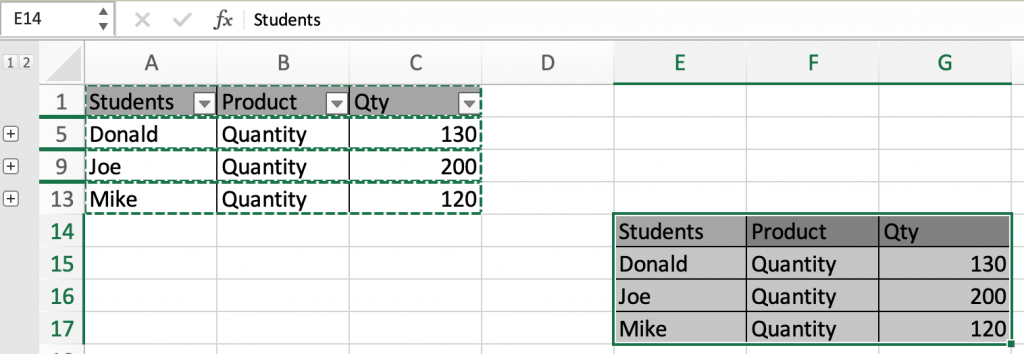
In this article, we will learn How to copy and paste grouped subtotal in Excel.
Grouped Subtotals
How to group totals? Given a list of values and sub values in Excel. Sometimes we need to group some values along the rows or columns. For example finding the items purchased by each customer from a store. For these kinds of problems we group values and apply subtotal function. But this is not the problem
Problem
Whenever we need to copy and paste only the subtotal values. We get the whole data paste in new cells. This is not expected. So Excel helps you choose the data based on subtotal levels.
Level 1 : Data
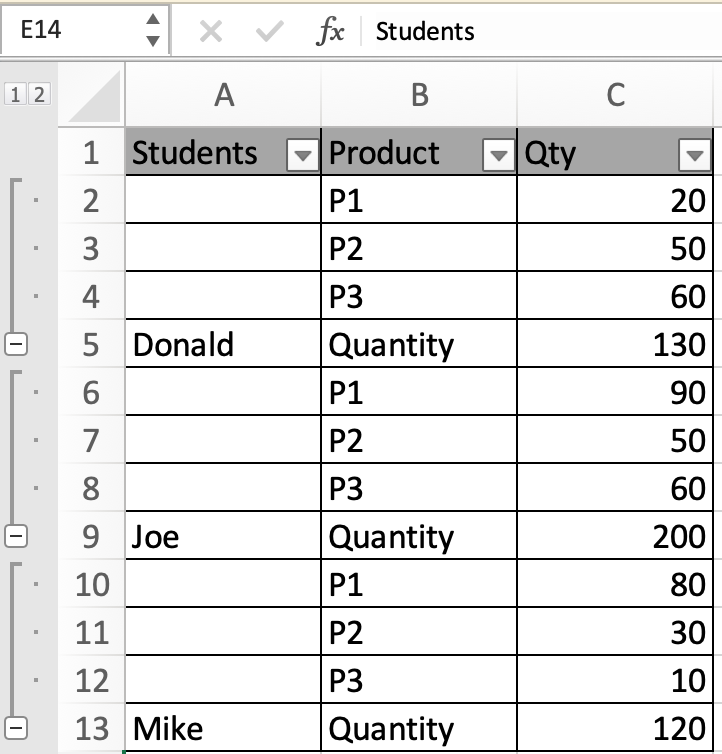
Level 2 : Subtotal summary

Excel doesn't understand to copy only visible rows until and unless specified
Select only visible Rows in Excel
There are some steps to be followed to paste only the visible subtotal summary.
Example :
All of these might be confusing to understand. Let's understand how to use the function using an example. Here we have records of students with respective product quantities.
Here we created subtotal groups of students based on sum of quantities. Now when we copy and paste only Subtotal summary and paste the values. The whole data gets pasted in return.
Follow the steps as explained below.
Select the level with a subtotal summary.
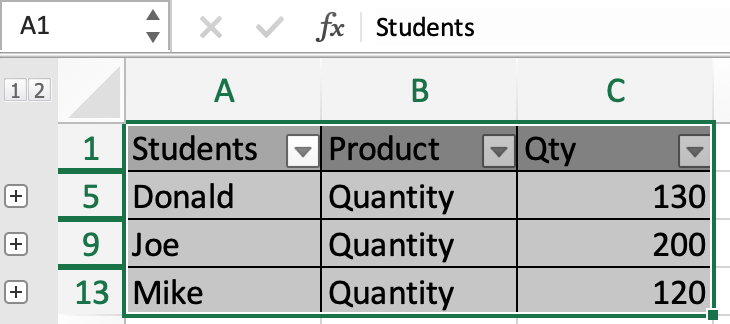
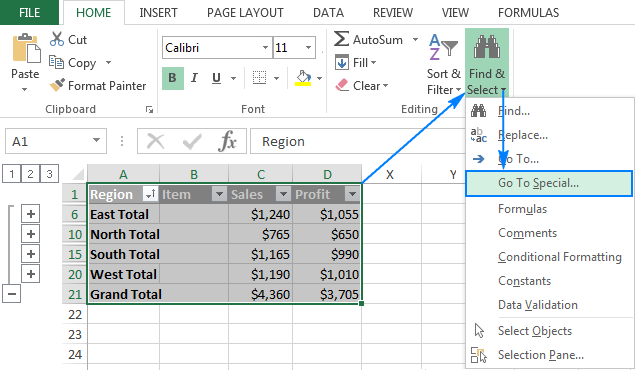
Go to Find & Select > Go to Special > select Visible cells only.
Now you see the cells have darkened as shown below
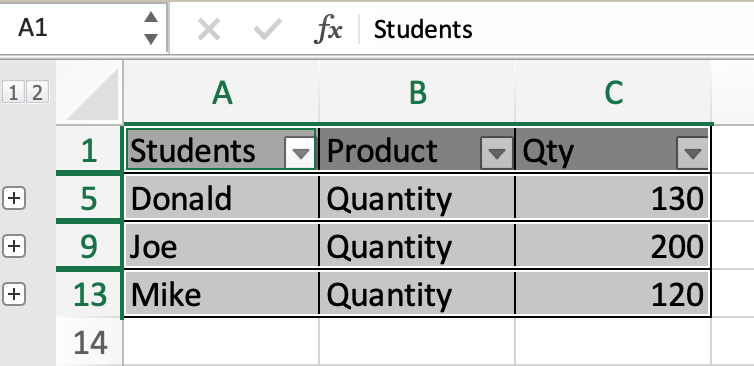
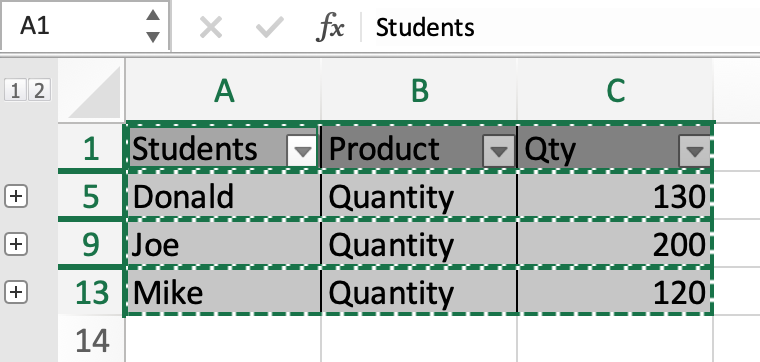
Now use Ctrl + C to copy and you will see neon cells blazing.
Now you can paste the subtotal summary anywhere.
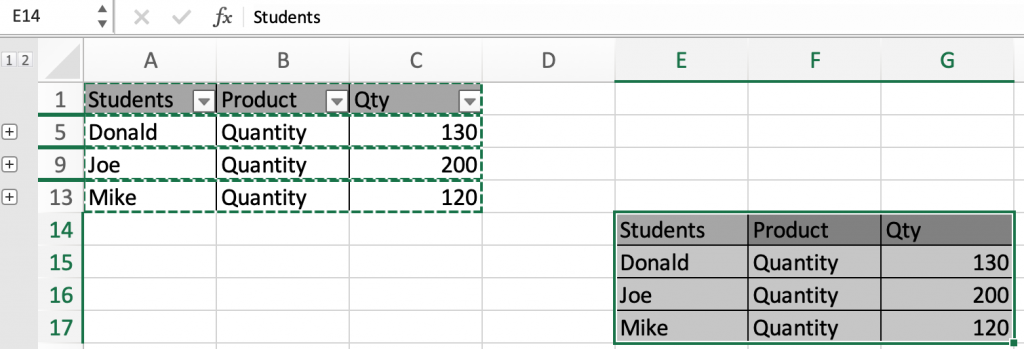
And you won't get the whole data.
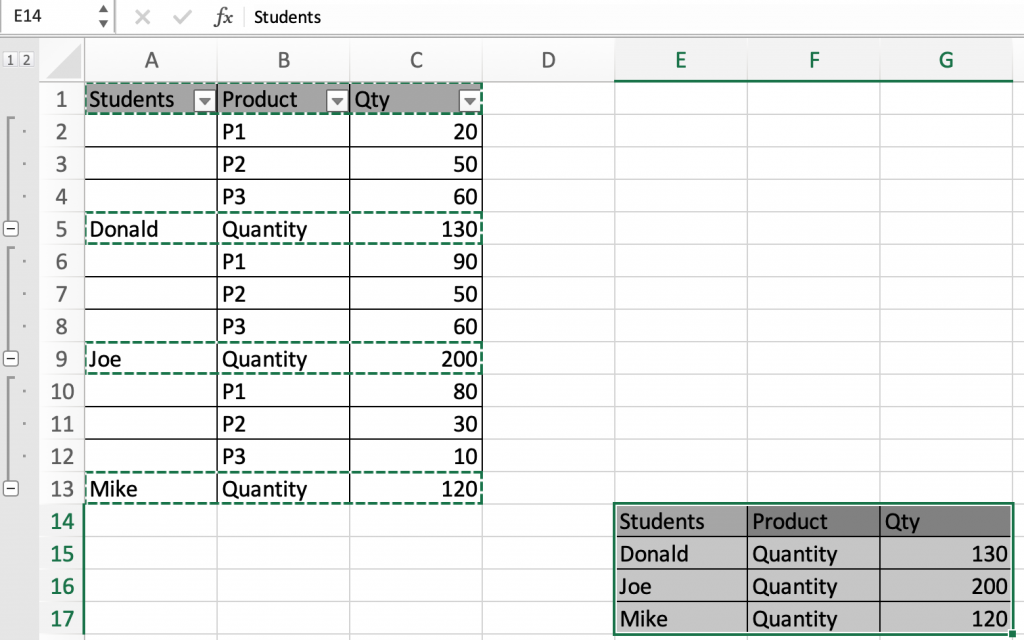
Here are all the observational notes using the Go to special method in Excel
Notes :
Hope this article about How to copy and paste grouped subtotal Summary in Excel is explanatory. Find more articles on calculating values and related Excel formulas here. If you liked our blogs, share it with your friends on Facebook. And also you can follow us on Twitter and Facebook. We would love to hear from you, do let us know how we can improve, complement or innovate our work and make it better for you. Write to us at info@exceltip.com.
Related Articles :
How to use the SUBTOTAL function in Excel : Apply aggregate functions like average, sum, count, max, min on the grouped data using the subtotal function in Excel.
How to Select Entire Column and Row Using Keyboard Shortcuts in Excel : Use Ctrl + Space to select whole column and Shift + Space to select whole row using keyboard shortcut in Excel
Paste Special Shortcut in Mac and Windows : In windows, the keyboard shortcut for paste special is Ctrl + Alt + V. Whereas in Mac, use Ctrl + COMMAND + V key combination to open the paste special dialog in Excel.
How to Insert Row Shortcut in Excel : Use Ctrl + Shift + = to open the Insert dialog box where you can insert row, column or cells in Excel.
How to use the Shortcut To Toggle Between Absolute and Relative References in Excel : F4 shortcut to convert absolute to relative reference and same shortcut use for vice versa in Excel.
How to use Shortcut Keys for Merge and Center in Excel : Use Alt and then follow h, m and c to Merge and centre cells in Excel.
Popular Articles :
How to use the IF Function in Excel : The IF statement in Excel checks the condition and returns a specific value if the condition is TRUE or returns another specific value if FALSE.
How to use the VLOOKUP Function in Excel : This is one of the most used and popular functions of excel that is used to lookup value from different ranges and sheets.
How to use the SUMIF Function in Excel : This is another dashboard essential function. This helps you sum up values on specific conditions.
How to use the COUNTIF Function in Excel : Count values with conditions using this amazing function. You don't need to filter your data to count specific values. Countif function is essential to prepare your dashboard.
The applications/code on this site are distributed as is and without warranties or liability. In no event shall the owner of the copyrights, or the authors of the applications/code be liable for any loss of profit, any problems or any damage resulting from the use or evaluation of the applications/code.



