

The Data Validation is used for making the data error free. It is a technique in Microsoft Excel by which we can control the input by providing the drop down list to users.
What is the use of Input Message?
Input messages are generally used for giving direction to others, which type of input you can insertinto a cell. This message is shown near the cell if you want to move this pop up you can move it to another cell.
To understand: Using the validation “Input Message” as cell comment
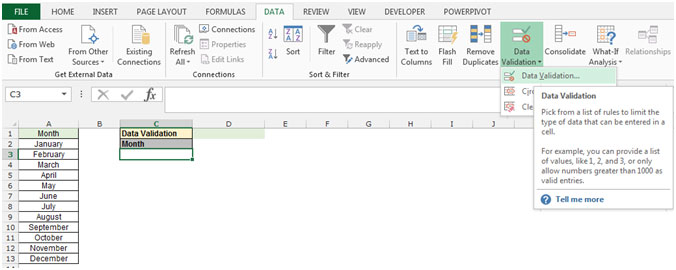
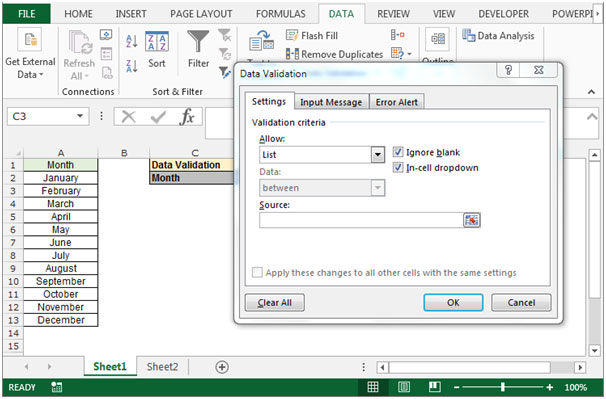
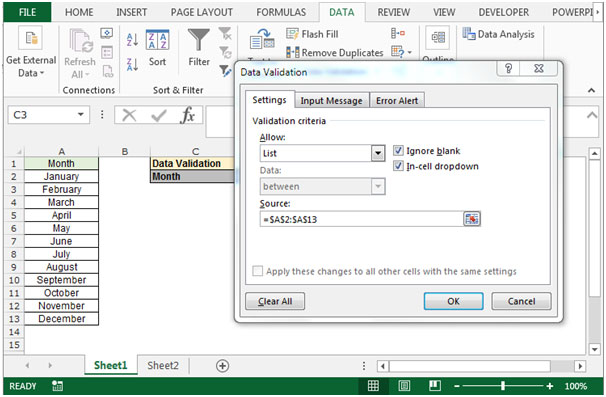
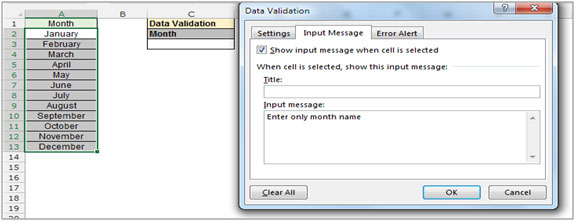
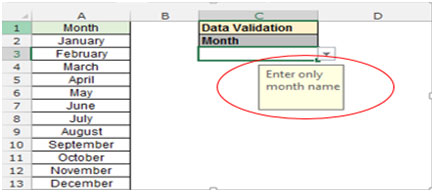
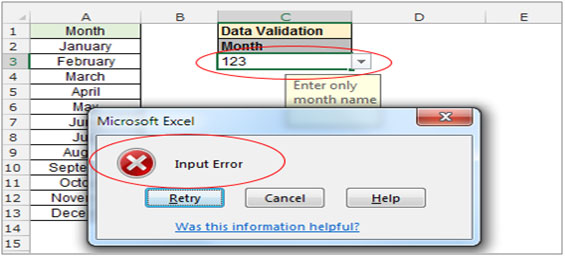
This is the way, you can create input message as a cell comment. If user will enterin the range apart of month name, he will get the input message and would be able to enter the correct input in the range in Microsoft Excel 2010 and 2013.
The applications/code on this site are distributed as is and without warranties or liability. In no event shall the owner of the copyrights, or the authors of the applications/code be liable for any loss of profit, any problems or any damage resulting from the use or evaluation of the applications/code.



