

Excel handles dates and times numerically. The time’s serial number is between 0 and 1 (noon serial time = 0.50) in Microsoft Excel 2010.
To display the serial number behind time format in Microsoft Excel, we can use Format cells and Shortcut key.
The time format to display hours, minutes and seconds is HH:MM:SS. For example, a time of 14 hours and 56 minutes is displayed as 14:56:00
Problem is: -The default time format does not allow a time value to exceed 24 hours. For example, by entering a time of 28:56:00, the result is 04:56:00.
Solution is: -Change the format of the cell by placing brackets around the hour, [HH]:MM:SS. The result is displayed as 28:56:00.
Format Cells: -We will use this option to change time format.
We can find this option while right click with the mouse, pop-up will be visible then click on Format Cells.
Or we can use shortcut key Ctrl+~ on your keyboard.
Let’s take an example how we canreturn the total time values.
We have times in column A.
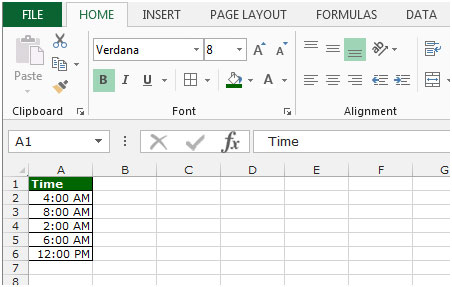
To change the format of cells, follow below given steps:-
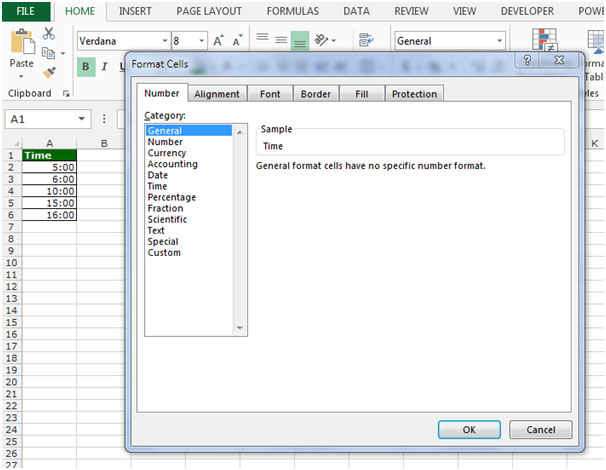


This is the way by placing brackets around the hour [HH]:MM:SS we can perform totaling time values in Microsoft Excel 2010.
The applications/code on this site are distributed as is and without warranties or liability. In no event shall the owner of the copyrights, or the authors of the applications/code be liable for any loss of profit, any problems or any damage resulting from the use or evaluation of the applications/code.




"Hi, Does anyone know how to add time results in this format? I do triathlons and the results are posted for each of the three legs and total time but not for total time after the swim and bike. (just another way to view all the results). So for example is swim time is 30:27:15 and bike time is 2:57:45 and each are in separate columns, what formula would I need to add those?
Thanks very much for anyone who knows the answer!!"
This works fine for over 24 hours but not 100 hours or more. Tried [HHH]:MM:SS but still would default to normal date and time. Any resolution on that?