

If you are handling multiple sheets at one time, and you want to copy data from each sheet into a master worksheet then you should read this article. We will use currentregion property of VBA code to consolidate data from all the worksheets into a single sheet. This property is useful for many operations that automatically expand the selection to include the entire current region, such as the AutoFormat method. This property cannot be used on a protected worksheet.
The condition is: every sheet should contain similar format i.e. same number of columns; using same format we can have accurately merged data.
Please note: this article will demonstrate using VBA code; if for any reason the number of columns differ in one of the sheets then the entire merged data will not give accurate picture. It is highly recommended to use same number of columns. The VBA code will add a new sheet to the workbook & then copy & paste the data after each sheet without overwriting.
Let us take an example of 3 sheets, namely Jan, Feb & Mar. Following are the snapshot of these sheets:
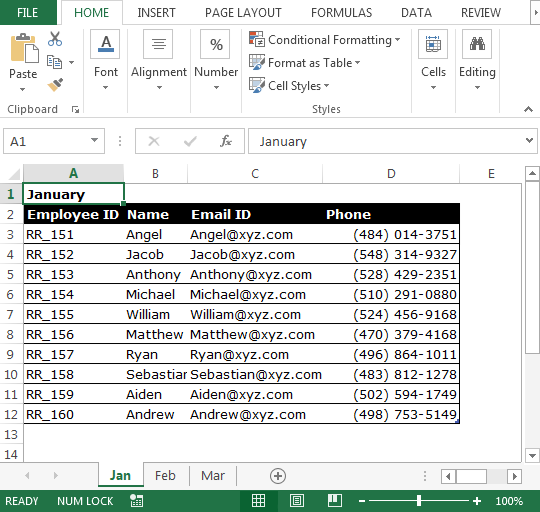
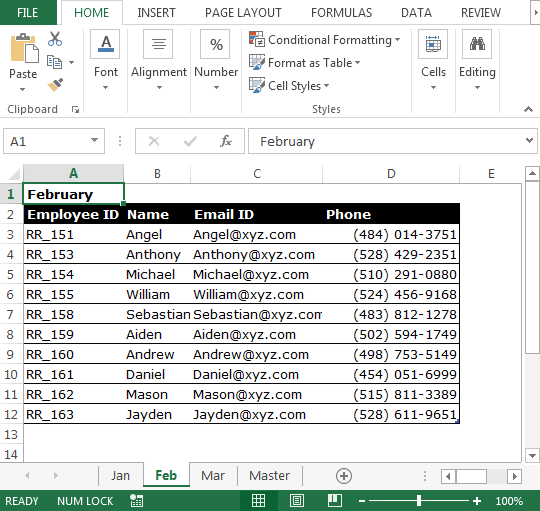
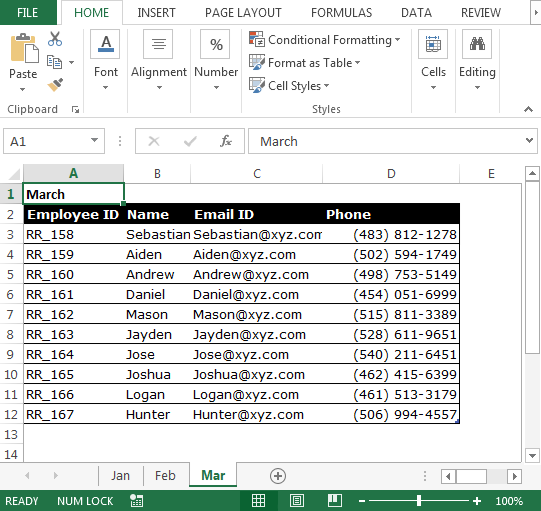
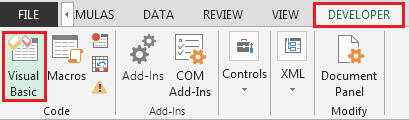
To combine data from all the sheets into one sheet, we need to follow the below steps to launch VB editor:
Sub CopyCurrentRegion()
    Dim sh As Worksheet
    Dim DestSh As Worksheet
    Dim Last As Long
    If SheetExists("Master") = True Then
        MsgBox "The sheet Master already exist"
        Exit Sub
    End If
    Application.ScreenUpdating = False
    Set DestSh = Worksheets.Add
    DestSh.Name = "Master"
    For Each sh In ThisWorkbook.Worksheets
        If sh.Name <> DestSh.Name Then
            If sh.UsedRange.Count > 1 Then
                Last = LastRow(DestSh)
                sh.Range("A1").CurrentRegion.Copy DestSh.Cells(Last + 1, 1)
            End If
        End If
    Next
    Application.ScreenUpdating = True
End Sub

Sub CopyCurrentRegionValues()
    Dim sh As Worksheet
    Dim DestSh As Worksheet
    Dim Last As Long
    If SheetExists("Master") = True Then
        MsgBox "The sheet Master already exist"
        Exit Sub
    End If
    Application.ScreenUpdating = False
    Set DestSh = Worksheets.Add
    DestSh.Name = "Master"
    For Each sh In ThisWorkbook.Worksheets
        If sh.Name <> DestSh.Name Then
            If sh.UsedRange.Count > 1 Then
                Last = LastRow(DestSh)
                With sh.Range("A1").CurrentRegion
                    DestSh.Cells(Last + 1, 1).Resize(.Rows.Count, _
                    .Columns.Count).Value = .Value
                End With
            End If
        End If
    Next
    Application.ScreenUpdating = True
End Sub

Function LastRow(sh As Worksheet)
    On Error Resume Next
    LastRow = sh.Cells.Find(What:="*", _
                            After:=sh.Range("A1"), _
                            Lookat:=xlPart, _
                            LookIn:=xlFormulas, _
                            SearchOrder:=xlByRows, _
                            SearchDirection:=xlPrevious, _
                            MatchCase:=False).Row
    On Error GoTo 0
End Function

Function Lastcol(sh As Worksheet)
    On Error Resume Next
    Lastcol = sh.Cells.Find(What:="*", _
                            After:=sh.Range("A1"), _
                            Lookat:=xlPart, _
                            LookIn:=xlFormulas, _
                            SearchOrder:=xlByColumns, _
                            SearchDirection:=xlPrevious, _
                            MatchCase:=False).Column
    On Error GoTo 0
End Function

Function SheetExists(SName As String, _
                     Optional ByVal WB As Workbook) As Boolean
    On Error Resume Next
    If WB Is Nothing Then Set WB = ThisWorkbook
    SheetExists = CBool(Len(Sheets(SName).Name))
End Function
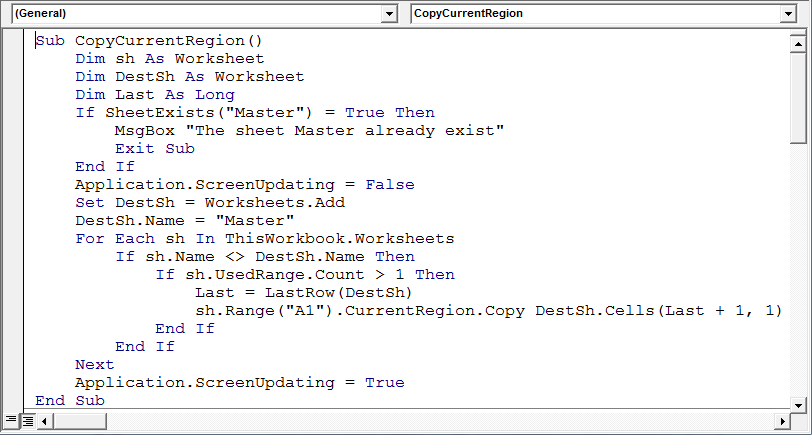
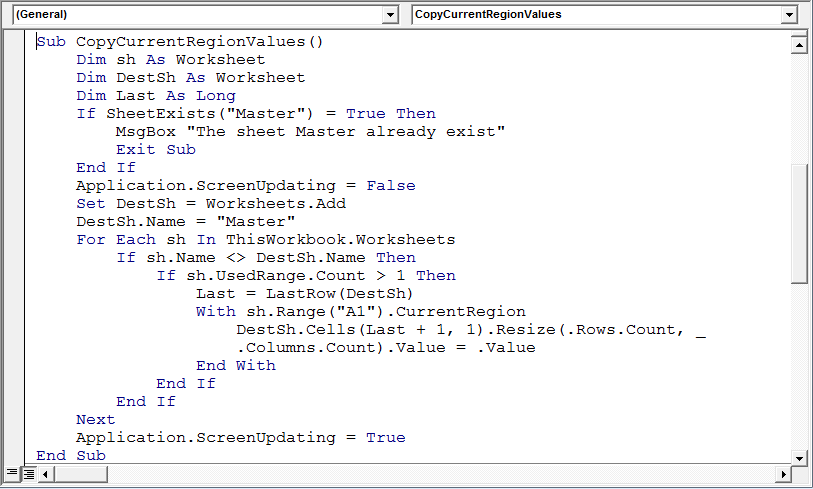
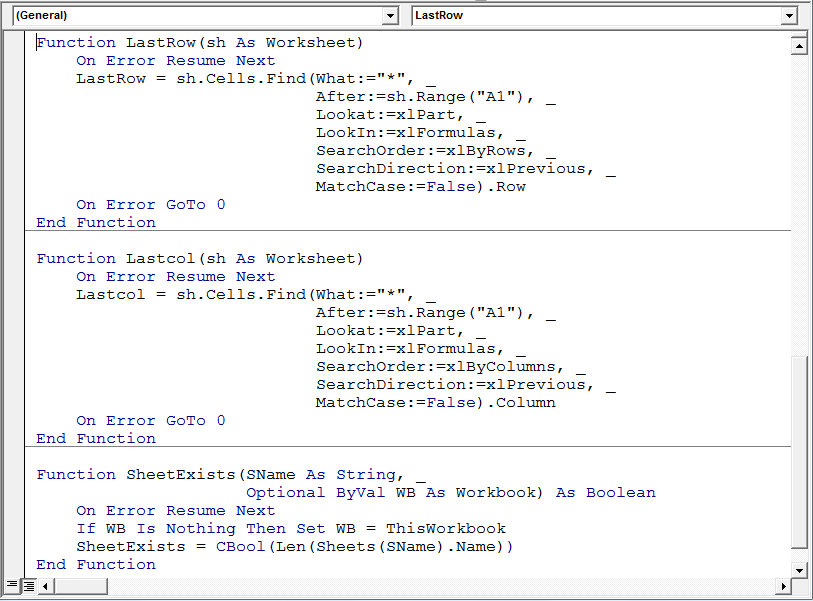
CopyCurrentRegion macro will call “SheetExists” function & will check if there is a worksheet name having “Master”; if found then it will do nothing, else it will insert new worksheet in the activeworkbook & rename it to “Master” and then it will copy data from all the sheets.
Following are the snapshots of consolidated data:
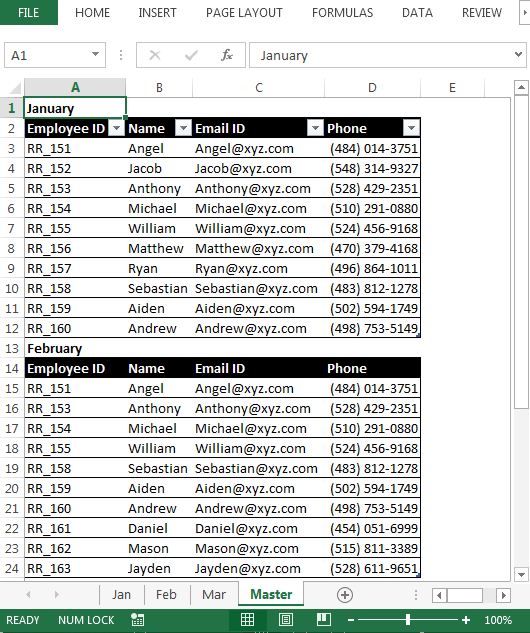
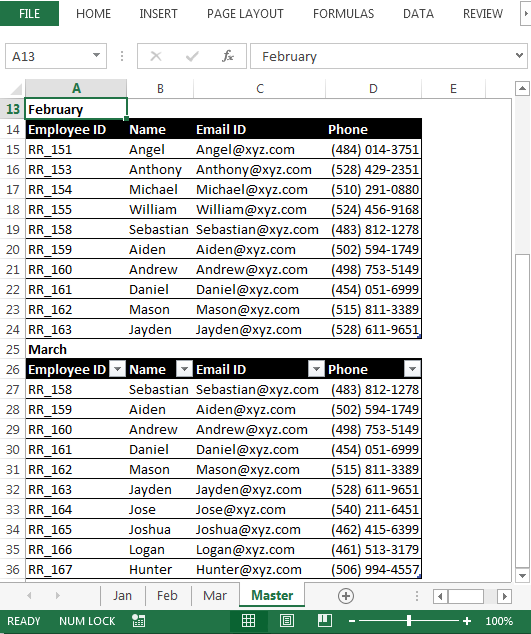
Note: The sample workbook contains Master worksheet; it is suggested to delete the Master worksheet & then run the macro to see the VBA code working.
Conclusion: Now we have the code we can use to transfer data from each worksheet into one sheet.

If you liked our blogs, share it with your friends on Facebook. And also you can follow us on Twitter and Facebook.
We would love to hear from you, do let us know how we can improve, complement or innovate our work and make it better for you. Write us at info@exceltip.com
The applications/code on this site are distributed as is and without warranties or liability. In no event shall the owner of the copyrights, or the authors of the applications/code be liable for any loss of profit, any problems or any damage resulting from the use or evaluation of the applications/code.



