

In this article, we will learn how to convert the month name to a number in Microsoft Excel 2010.
While preparing reports there could be a requirement to convert a column that holds the name of the month (January, February, etc) into a number (1, 2).
Let us understand with an example:
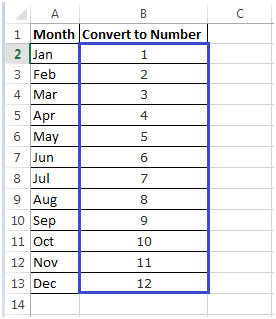
We can use a combination of MONTH & DATEVALUE functions to get result.
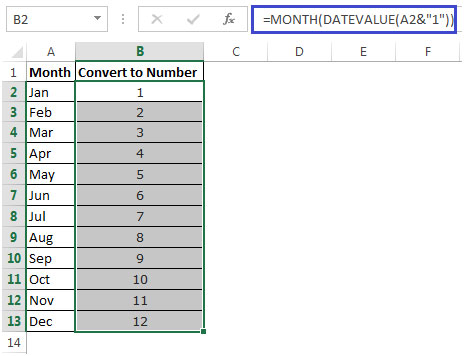
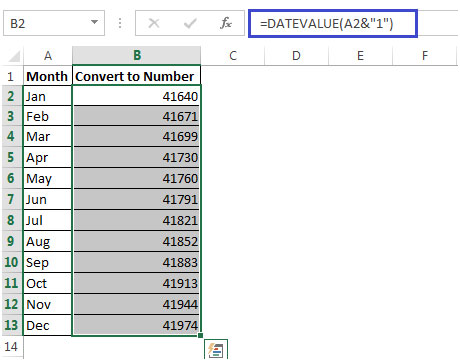
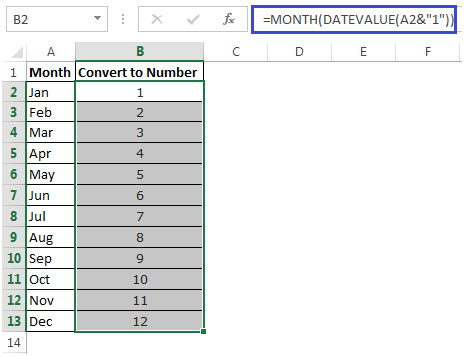
In this way, we can convert the name of the month to the number of the month.
Related Articles:
How to Add Months to a Date in Excel
How to Calculate years between dates in Excel
How to Calculate days, years and months from a certain date in Excel
How to Calculate age from date of birth in Excel
How to Calculate Minutes Between Dates & Time In Microsoft Excel
How to Calculate Months Between dates in Excel
Popular Articles:
50 Excel Shortcuts to Increase Your Productivity
How to use the VLOOKUP Function in Excel
How to use the COUNTIF function in Excel
How to use the SUMIF Function in Excel
The applications/code on this site are distributed as is and without warranties or liability. In no event shall the owner of the copyrights, or the authors of the applications/code be liable for any loss of profit, any problems or any damage resulting from the use or evaluation of the applications/code.




I typed formula =DATEVALUE(C1&"1") it gives me date 01-04-2001 for April. how to change it to give the year 2019(01-04-2019) instead of 2001
Or =1*(1&A2) and format cell as "mmm"
or =Month(1*(1&A2)