

In this article, we will create a macro to send a sheet as attachment in an email.
Before running the macro, we need to specify an email id and subject of the email.
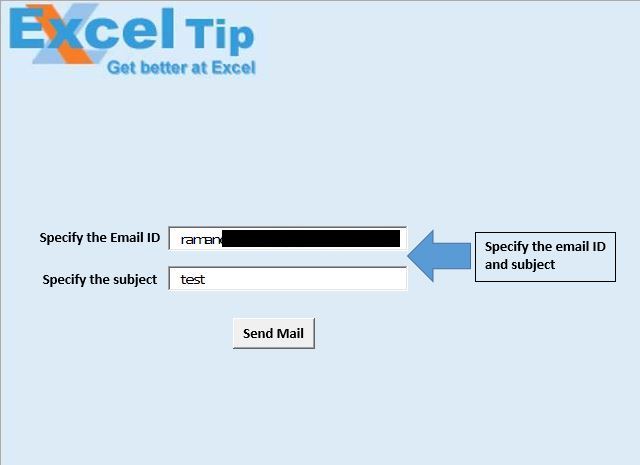
In this example, we want to send “DataSheet” as an attachment in the email.
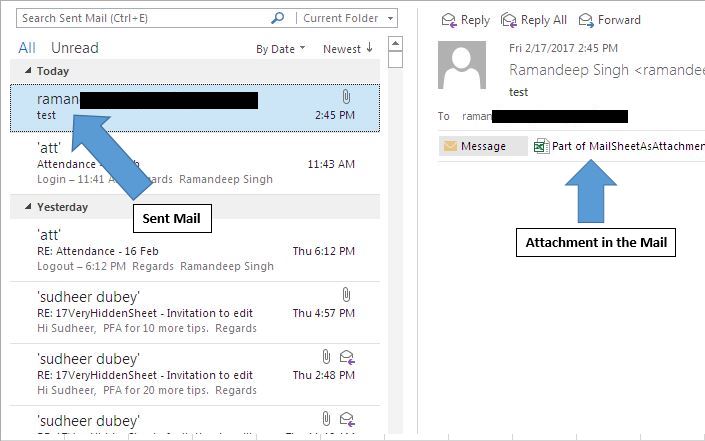
Logic explanation
We have created “MailSheet” macro, which takes email id and subject of the email from text boxes. It creates a new copy of “DataSheet”, saves it and sends it as an attachment.
Code explanation
Sheets("DataSheet").Copy
The above code is used to create a copy of “DataSheet” in a new workbook.
ActiveWorkbook.SaveAs "Part of " & ThisWorkbook.Name _
& " " & StrDate & ".xls"
The above code is used to save the new workbook.
ActiveWorkbook.SendMail EmailID, MailSubject
The above code is used to send the active workbook as an attachment to the specified email id, with the given subject.
ActiveWorkbook.Close False
The above code is used to close the active workbook without saving it.
Please follow below for the code
Sub MailSheet()

'Declaring variables
Dim StrDate, EmailID, MailSubject As String

'Getting value for Email ID and subject from textboxes
EmailID = Sheet1.TextBox1.Value
MailSubject = Sheet1.TextBox2.Value

'Copying "DataSheet" to new workbook
Sheets("DataSheet").Copy

'Formatting date and time to particular format
StrDate = Format(Date, "dd-mm-yy") & " " & Format(Time, "h-mm")

'Saving active workbook with new name
ActiveWorkbook.SaveAs "Part of " & ThisWorkbook.Name _
                    & " " & StrDate & ".xls"
'Sending mail
ActiveWorkbook.SendMail EmailID, MailSubject

'Close the active workbook
ActiveWorkbook.Close False


End Sub
If you liked this blog, share it with your friends on Facebook. Also, you can follow us on Twitter and Facebook.
We would love to hear from you, do let us know how we can improve our work and make it better for you. Write to us at info@exceltip.com
The applications/code on this site are distributed as is and without warranties or liability. In no event shall the owner of the copyrights, or the authors of the applications/code be liable for any loss of profit, any problems or any damage resulting from the use or evaluation of the applications/code.




Do you have some files with examples, because i put the code but it send´s me an error.