

In computers, a log file is a file that records either events that occur in an operating system or other software runs, or messages between different users of a communication software. Logging is the act of keeping a log. In the simplest case, messages are written to a single log file.
Consider a scenario, the application is logging the user details into the log file who are accessing the application.
Log files are useful in different situations, especially for developers. Log files are plain text files that can store information temporary or more permanent. You don't need much code to create a log file. In this article we will focus on creating automatic log files in a specific folder.
Question: How can I create a notepad file which contains the current date, time & User name whenever the file gets open?
Following is the snapshot of Excel workbook containing financial information:
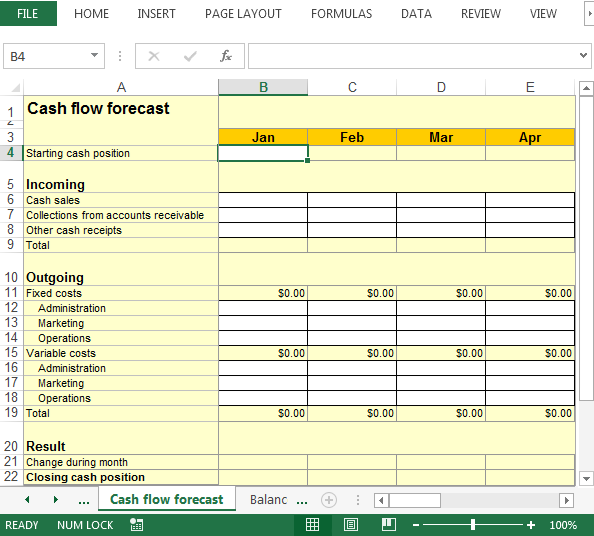
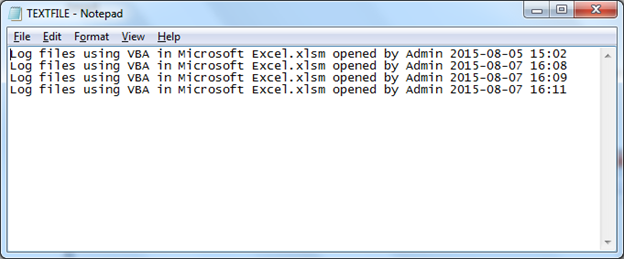
In this example, the result will be in the form of text file. The notepad will contain date, time & other details; somewhat like this:

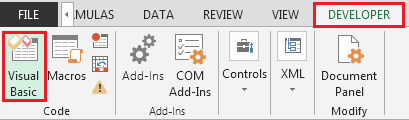
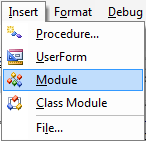
To create log files, we need to follow the below steps to launch VB editor:
Sub LogInformation(LogMessage As String)

Const LogFileName As String = "D:\FOLDERNAME\TEXTFILE.LOG"

Dim FileNum As Integer

FileNum = FreeFile ' next file number

Open LogFileName For Append As #FileNum ' creates the file if it doesn't exist

Print #FileNum, LogMessage ' write information at the end of the text file

Close #FileNum ' close the file

End Sub
Public Sub DisplayLastLogInformation()

Const LogFileName As String = "D:\FOLDERNAME\TEXTFILE.LOG"

Dim FileNum As Integer, tLine As String

FileNum = FreeFile ' next file number

Open LogFileName For Input Access Read Shared As #f ' open the file for reading

Do While Not EOF(FileNum)

Line Input #FileNum, tLine ' read a line from the text file

Loop ' until the last line is read

Close #FileNum ' close the file

MsgBox tLine, vbInformation, "Last log information:"

End Sub
Sub DeleteLogFile(FullFileName As String)

On Error Resume Next ' ignore possible errors

Kill FullFileName ' delete the file if it exists and it is possible

On Error GoTo 0 ' break on errors

End Sub
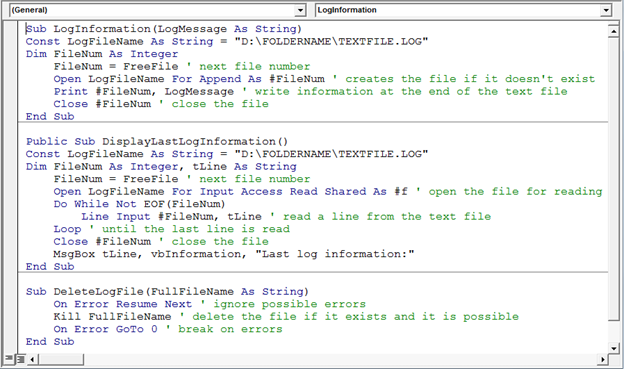
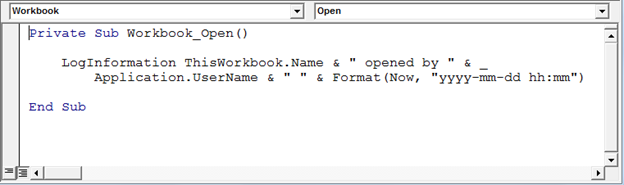
Copy the following code in the ThisWorkbook module
Private Sub Workbook_Open()

LogInformation ThisWorkbook.Name & " opened by " & _

Application.UserName & " " & Format(Now, "yyyy-mm-dd hh:mm")

End Sub
The macro will not overwrite data.
Conclusion: The macro will run every time the workbook gets open at specified path & folder.
If you liked our blogs, share it with your friends on Facebook. And also you can follow us on Twitter and Facebook.
We would love to hear from you, do let us know how we can improve, complement or innovate our work and make it better for you. Write us at info@exceltip.com
The applications/code on this site are distributed as is and without warranties or liability. In no event shall the owner of the copyrights, or the authors of the applications/code be liable for any loss of profit, any problems or any damage resulting from the use or evaluation of the applications/code.




I've tried and I can't seem to get it to work :(. I've been also trying to get this code to print the file to a network path and can't get it to work either :(. Is there a way I can have the file in one location and get the log to print somewhere as on the network?
Private Sub Workbook_Open()
Open This Workbook.Path & “\Assistance.log” For Append As #1
Print #1 Application.UserName, Now
Close #1
End Sub
Much help is needed and would be greatly appreciated
I have log file I need to create a macro for reading logs and display them in Excel in different sheets can someone assist me with sample codes
This is all very good. Is there a possibility to somehow modify the file in order to be able to add a line if a workbook was changed (do not track cell changes)?
I had to change the constant to a dim string, but othet than that your example worked wonders. I hapve adapted to use the app.filepath in a couple of w/books and its awesome. Thanks.
Keep getting
(Run-time error '76':
Disk not ready)
Also Highlights Open LogFileName For Input Access line
Works great! Is there a way to track all changes within a workbook?
Macro didn't worked for me ..m getting error..invalid file number
Substitute a valid drive letter and folder name referencing the computer where the file will be opened from or where the file resides Change each designations in both Macro's that reference "D:\FOLDERNAME\TEXTFILE.DOC" . Example: "C:\dinesh\textfile.doc"
Great Just what I needed!
However
Format(Date, "yyyy-mm-dd hh:mm")
2014-05-28 00:00
should be
Format(Now(), "yyyy-mm-dd hh:mm")
to capture seconds
2014-05-28 13:55
BTW : your capture is working it was showing
-1 = seven on right of answer field! non sense. Had to refresh page and get the captcha on left of answer field.
Great! Thank you very much.