

When you want to know what values are shared in 2 or more columns, highlighting the duplicate values is the best way to see them visually.
In this article, we will learn how to highlight duplicate values in two or more columns
Highlight Duplicate in Two or More Ranges
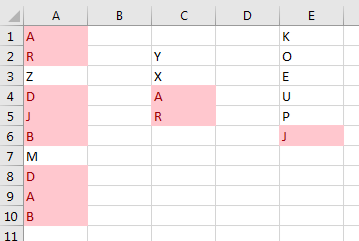
Here, I want you to highlight duplicate in ranges A1:A10, C2:C5 and D1:D6. Follow these steps:
1. To highlight duplicates, select all ranges. To select non-adjacent ranges, hold the CTRL key and use the mouse to select ranges.

2. Now go to Home->Conditional Formatting->Highlight Cells Rules->Duplicate Values.
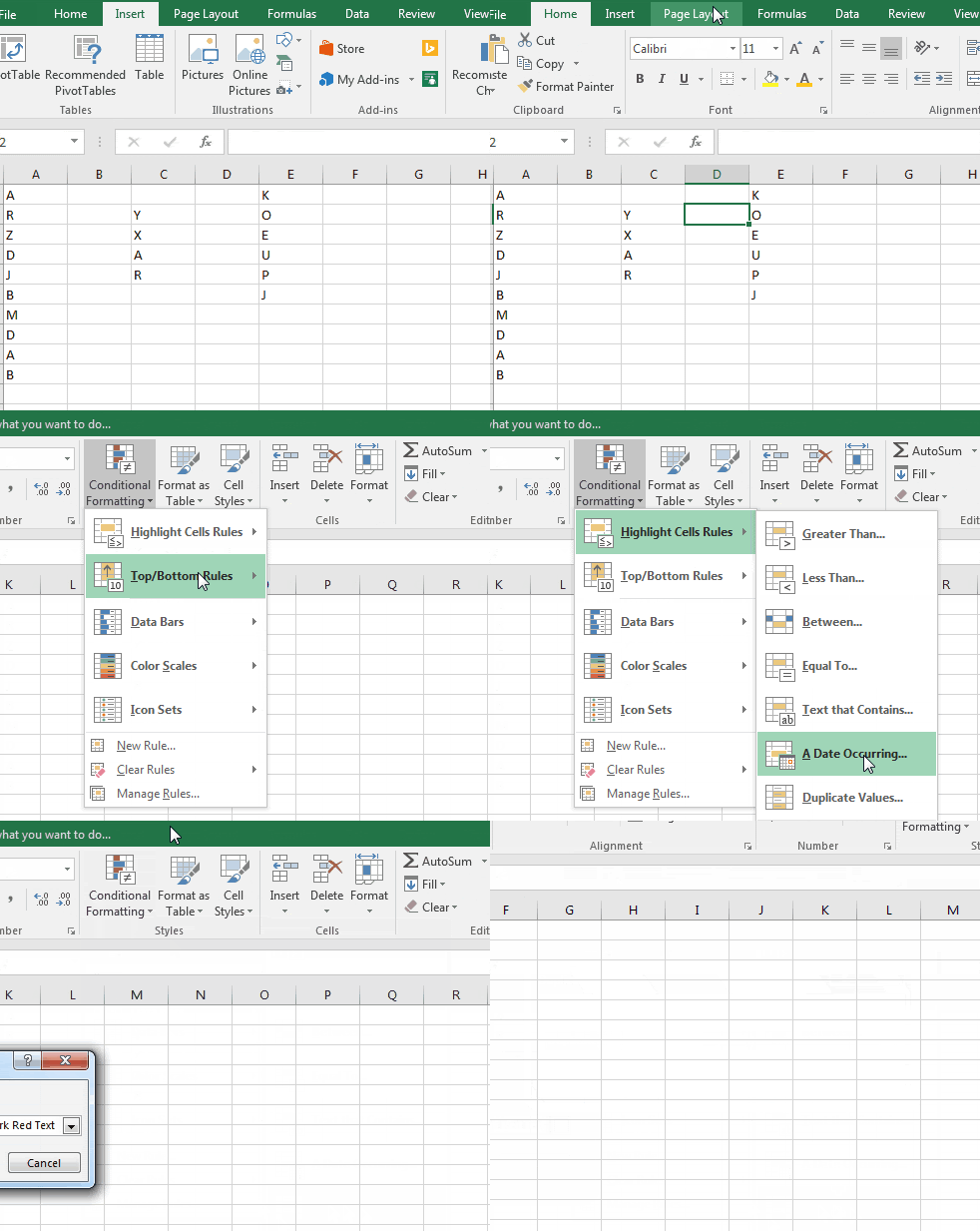
(Or you can use ALT>H>L>H>D>ENTER sequential shortcut to highlight duplicates)
3. Hit Enter or click OK. (before you hit enter, you can see in a small drop-down, an option is available to highlight duplicates or unique values. And the default formatting option. You may select whatever you like.
You can see each duplicate value highlighted by colour.
 Alternate method:
How to find duplicate in Excel by using Conditional Formatting?
Let’s take another example to understand how we can find duplicates.
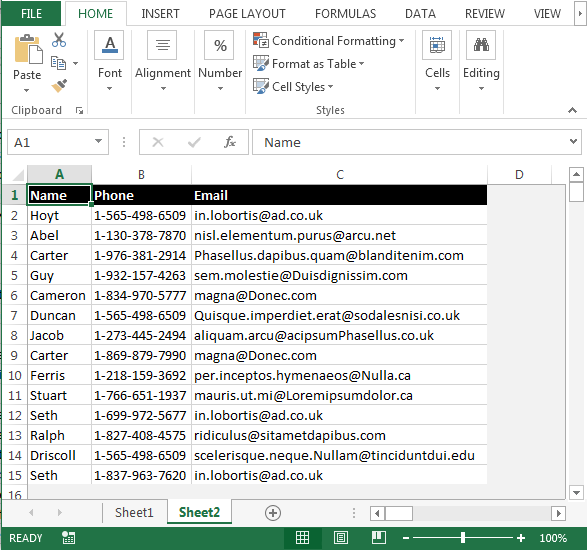

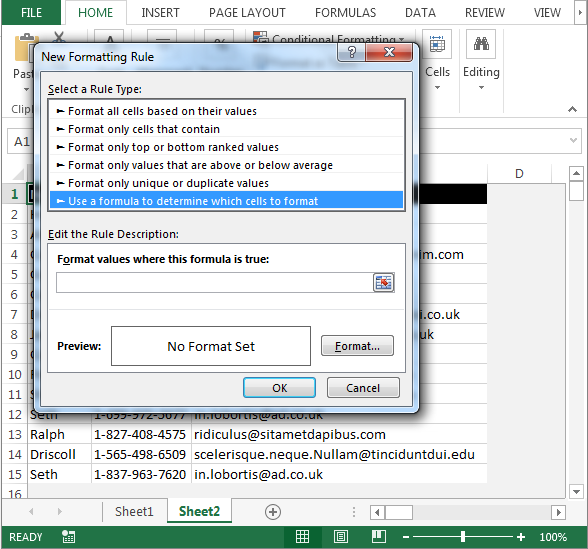

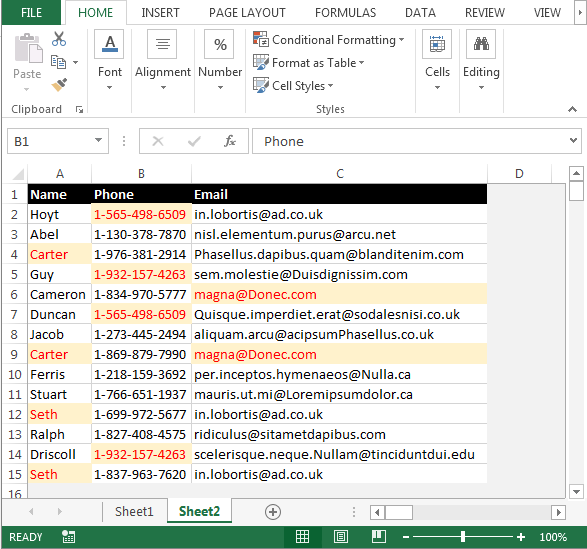
This is how we can find duplicates in Microsoft Excel.

Download - Highlight Duplicates in Excel - xlsx
It is damn easy to highlight duplicate values in excel. Isn’t it? But if you have any questions regarding this topic or any other topic, feel free to ask it in the comments section below. I would love to interact with excel users like you.
Related Articles:
Highlight cells that contain specific text in Excel
How To Highlight Row in Excel if Row Contains Specific Text
Highlight Row Base on A Cell Value in Excel
How To Highlight Cells Above and Below Average Value in Excel
Popular Articles:
How to use the VLOOKUP Function in Excel
The applications/code on this site are distributed as is and without warranties or liability. In no event shall the owner of the copyrights, or the authors of the applications/code be liable for any loss of profit, any problems or any damage resulting from the use or evaluation of the applications/code.



