

In this article, we will learn how to hide and unhide the sheet in Microsoft Excel 2007.
We hide the sheet when we do not want to show the sheet to someone else. Mostly we use this option while creating the dashboard, templates to hide the working sheets. There are 3 techniques to hide or unhide Sheet tab:-
Technique 1:-
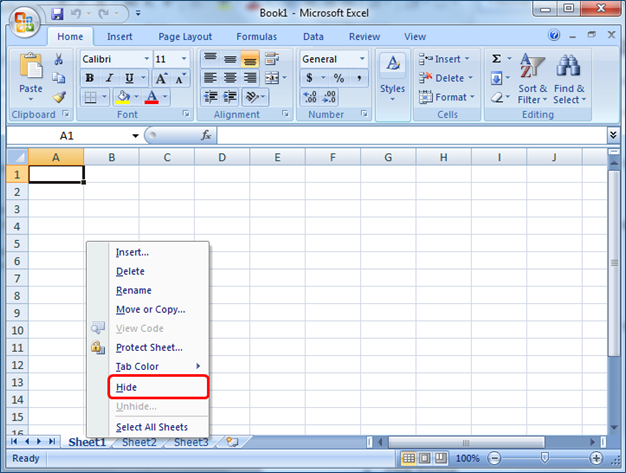

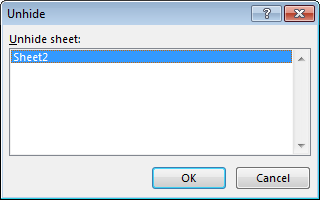
Technique 2:-
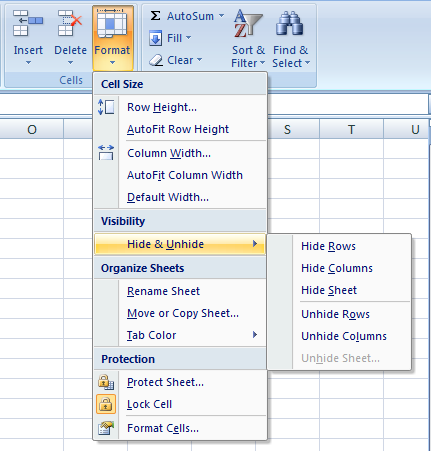
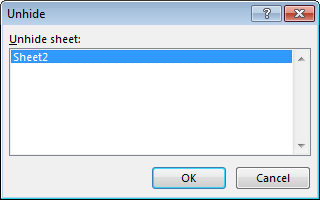
Technique 3:-
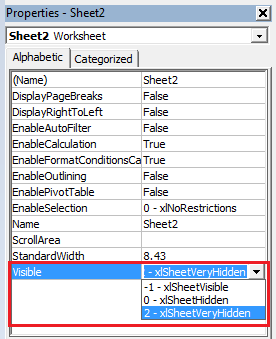
Taken Away:-
If you liked our blogs, share it with your friends on Facebook. You can follow us on Twitter and Facebook.
We would love to hear from you; do let us know how we can improve, complement or innovate our work and make it better for you. Write us @ info@exceltip.com
The applications/code on this site are distributed as is and without warranties or liability. In no event shall the owner of the copyrights, or the authors of the applications/code be liable for any loss of profit, any problems or any damage resulting from the use or evaluation of the applications/code.



